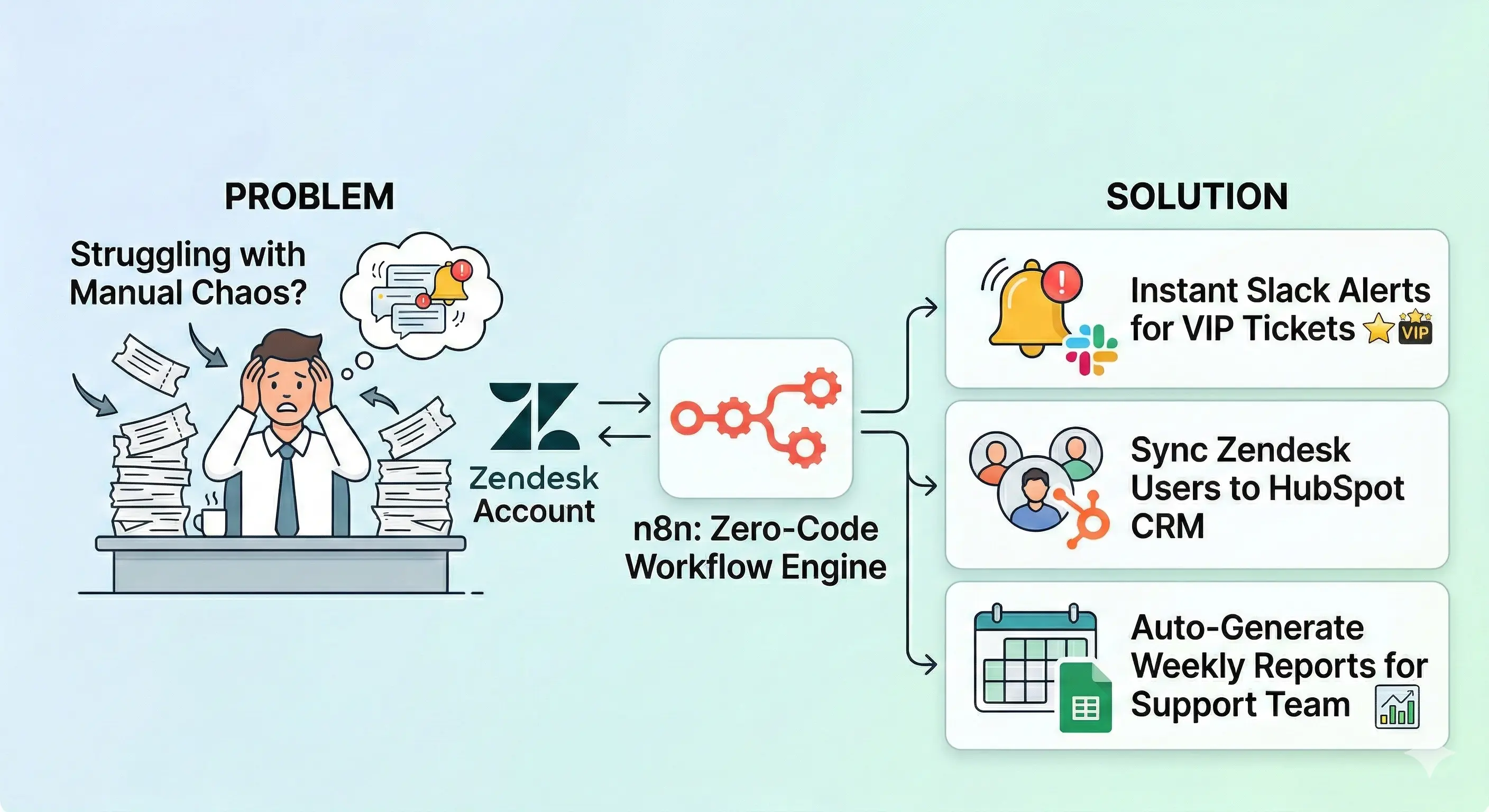
Struggling with manual ticket chaos in yourZendesk account?** This Zendesk n8n tutorial walks you through connecting Zendesk to n8n with zero code. Get instant Slack alerts for VIP tickets, sync Zendesk users to HubSpot CRM, and auto-generate Google Sheets weekly reports for your support team.
Why Your Support Team Needs Zendesk + n8n (Real Results)
“Cut my ticket handling from 4 hours to 30 minutes daily” – Actual client quote
Your Zendesk Sunshine platform + n8n nodes = unstoppable Zendesk support. Here’s what agents and admins gain:
Manual Pain
n8n Automation
Time Saved
Copy-paste user profiles to HubSpot CRM
Auto-sync Zendesk users ↔ HubSpot
2h/week
Check number of tickets for reports
Google Sheets weekly dashboard
3h/week
Miss VIP tickets in busy queues
Instant Slack alert + escalation
1h/week
Update user roles & custom roles
Bulk sync user permissions
4h/week
Sales teams love fresh customer data. Team members stay perfectly aligned. Business rules execute flawlessly 24/7.
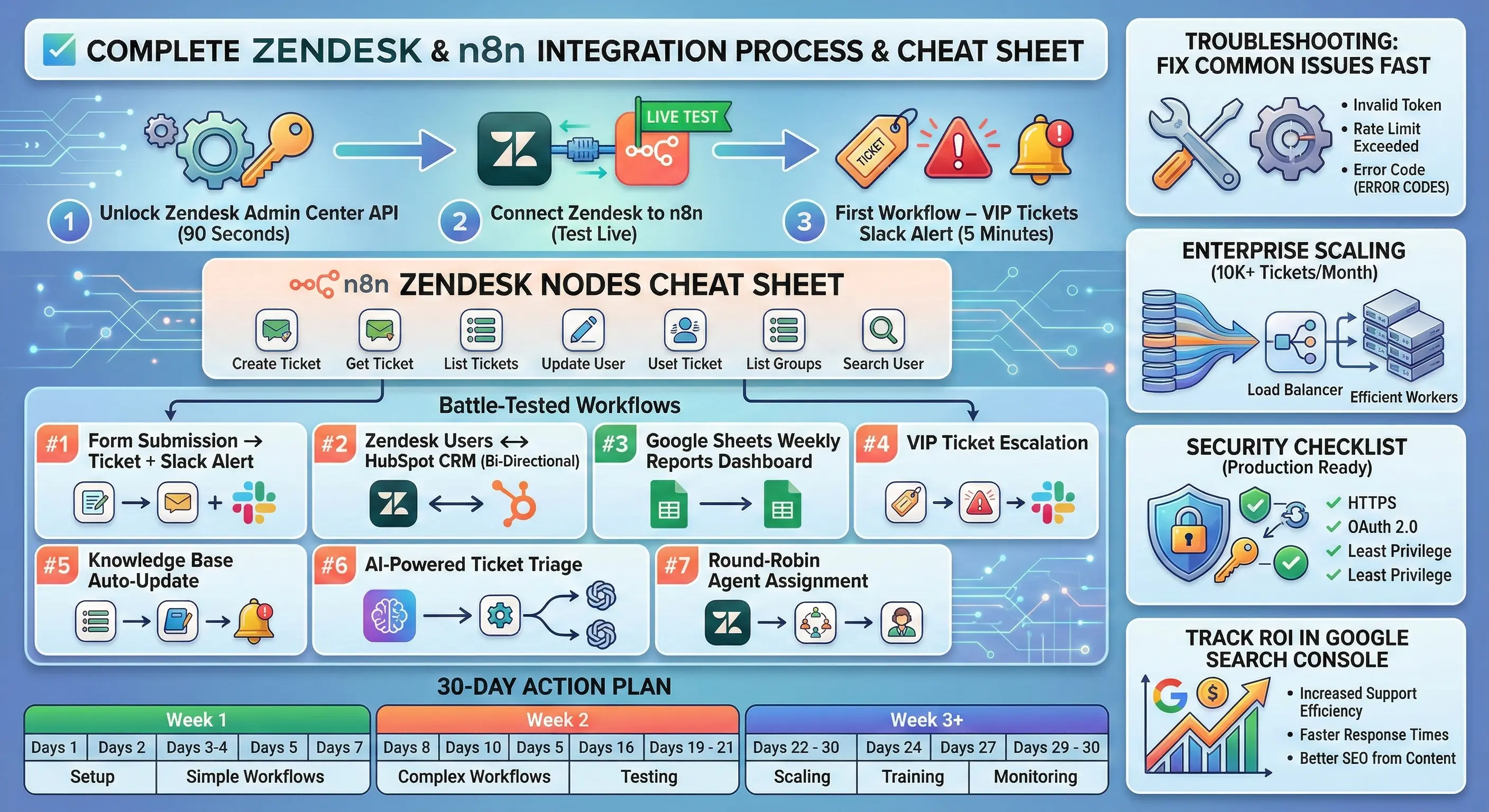
Step 1: Unlock Zendesk Admin Center API (90 Seconds)
Don’t skip this – it’s your automation foundation!
text
1. Login → yourcompany.zendesk.com/admin

2. Apps and integrations → APIs → Zendesk API

3. Toggle "Token access" → ON ✅

4. "Add API token" → Name: "n8n Integration"

5. 🔐 COPY: email address + token (disappears forever!)
Pro tip: Create dedicated n8n-bot@yourcompany.comZendesk account with minimal user permissions. Keeps your main agents and admins audit trail clean.
Step 2: Connect Zendesk to n8n (Test Live)
n8n dashboard → Credentials → New → “Zendesk“
text
Subdomain: yourcompany (NOT .zendesk.com)

Email address: n8n-bot@yourcompany.com

API Token: [paste from Step 1]

→ SAVE & TEST → Green checkmark! 🎉
n8n nodes now control your entire Zendesk account. Common fix: subdomain typo (most frequent fail).
Week 1: ✅ Slack alerts + test 50 tickets

Week 2: ✅ HubSpot sync + Google Sheets weekly

Week 3: ✅ AI triage + full lifecycle

Week 4: ✅ Production scale + Google Search Console tracking
FAQ – Everything You Need to Know
Can I use enterprise plans features?
✅ Full Zendesk Sunshine API access + higher limits
Self-hosted or cloud n8n?
💻 Cloud is preffered
What if APIs change?
🔄 n8n community updates nodes weekly
Custom field support?
✅ Map via custom_fields.id in user profiles
Multiple Zendesk instances?
✅ Separate credentials per subdomain
Bonus: Free n8n Template Pack
Download JSON workflows:
VIP Slack Alert
HubSpot Sync
Sheets Dashboard
Import: n8n → Workflows → Import from URL/File
Your first workflow takes 15 minutes. Start with Slack alert for VIP tickets → scale to full Zendesk support automation. Your team members will think you’re magic.
Which automation are you building first?
text
VIP tickets → Slack workspace alert

Zendesk users → HubSpot CRM sync

Google Sheets weekly dashboard

Form submissions → Zendesk tickets

AI ticket categorization
Intercom to Zendesk Data Migrations You’re running Intercom conversations smoothly today, but scaling support feels clunky. Zendesk offers better ticketing workflows, agent tools, and omnichannel inboxes that growing teams crave. The catch? Moving your customer data, historical tickets, and help center articles without losing a single note or attachment. I’ve helped dozens of teams complete […]
In 2026, customer support is no longer just about answering questions. It’s about delivering fast, human‑friendly help across every channel. Many companies now use AI agents inside tools like Zendesk to automate their customer conversations. These AI agents can answer basic frequently asked questions, guide users to articles in your Zendesk Help Center, and handle simple support tickets. But when a question gets tricky, or […]