Choosing between Zendesk and Freshdesk isn’t about picking the more popular brand. It’s about understanding how each platform handles real support operations—complex workflows, reporting, automation, collaboration, and long-term scalability.
If your team is small and needs something simple and fast, one option makes sense. If you’re running structured processes, managing heavy ticket volumes, or planning to migrate from a legacy system without compromising data integrity, the other becomes more attractive.
How do you choose the right customer support solution?
A support platform isn’t just a ticket inbox. It’s your operational backbone. The right system should:
Preserve complete ticket history
Help you consolidate conversations from multiple channels
Automate repetitive tasks using structured macros
Support internal collaboration through side conversations
Maintain strict role control with options like Light Agents
Handle migration from a legacy system without breaking data relationships
If you’re switching platforms, you also need to think technically:
Will schema mapping preserve custom fields?
Is field mapping accuracy validated before import?
Can you run delta migration before the final cut-over date?
Are there restrictive API limits?
Can you ensure zero downtime?
Most teams ignore these questions—until migration becomes a mess.
Zendesk vs. Freshdesk: Features and capabilities comparison
Ticket Management
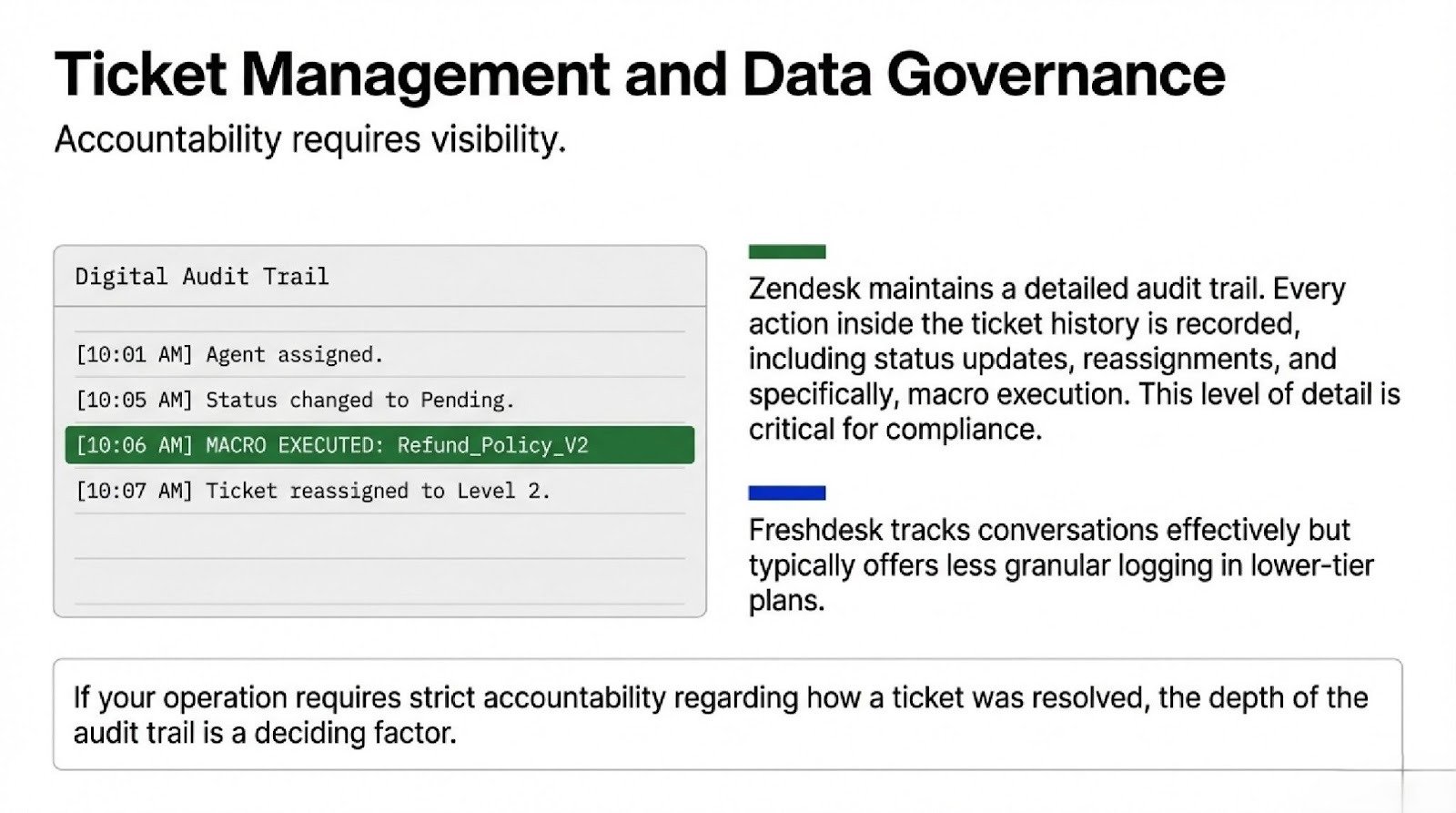
Zendesk keeps a detailed audit trail. Every action inside ticket history is recorded—status updates, reassignment, macro execution. This matters if you care about accountability and compliance.
Freshdesk tracks conversations well but typically offers less granular logging in lower plans.
Automation and Macros
Zendesk allows layered automation:
Triggers
Time-based automations
Conditional logic
Reusable macros
This helps large teams consolidate repetitive tasks and enforce structured workflows.
Freshdesk provides automation too—but usually in a simpler, less nested way. That’s not bad. It just means less flexibility.
Migration Architecture
If you’re moving platforms, this is where things get serious.
A structured migration should:
Map all custom fields through accurate schema mapping
Validate field mapping accuracy
Preserve full ticket history
Run test batches
Execute delta migration
Lock a defined cut-over date
Maintain zero downtime
Zendesk works well with external tools and automated migration service providers because of its API flexibility.
Freshdesk also supports migration, but heavy imports may run into API limits, depending on volume.
Ignore this stage, and you risk corrupted data or broken relationships between tickets and users.
Freshdesk vs. Zendesk: Which one gets you a better ROI?
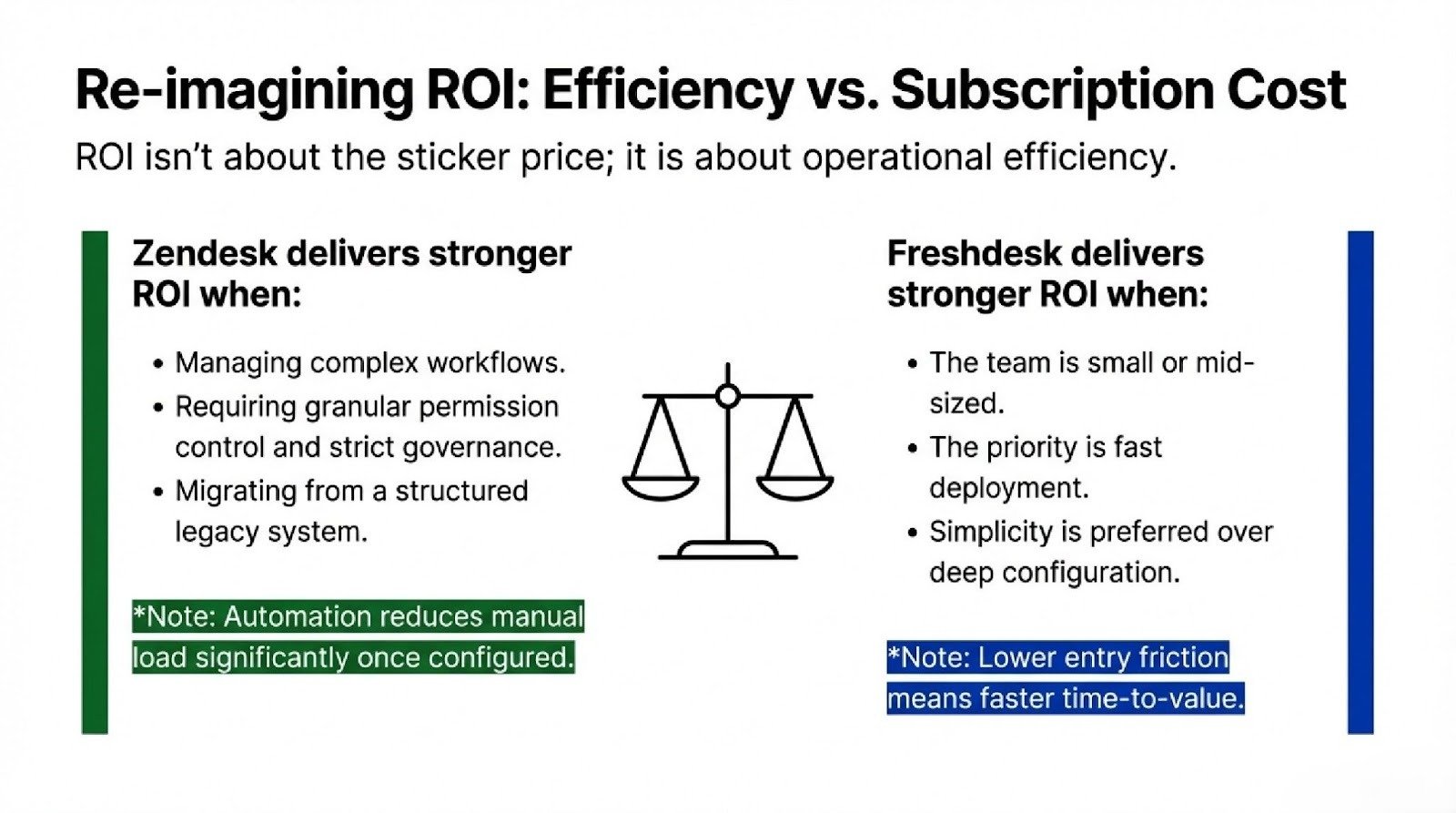
ROI isn’t about subscription price. It’s about operational efficiency.
Zendesk delivers stronger ROI when:
You manage complex workflows
You need granular permission control
You require strict governance
You want advanced analytics
You’re migrating from a structured legacy system
Freshdesk delivers better ROI when:
Your team is small or mid-sized
You want fast deployment
You don’t need layered automation
You prefer simplicity over deep configuration
Zendesk costs more upfront—time and money. But once configured properly, automation reduces manual load significantly.
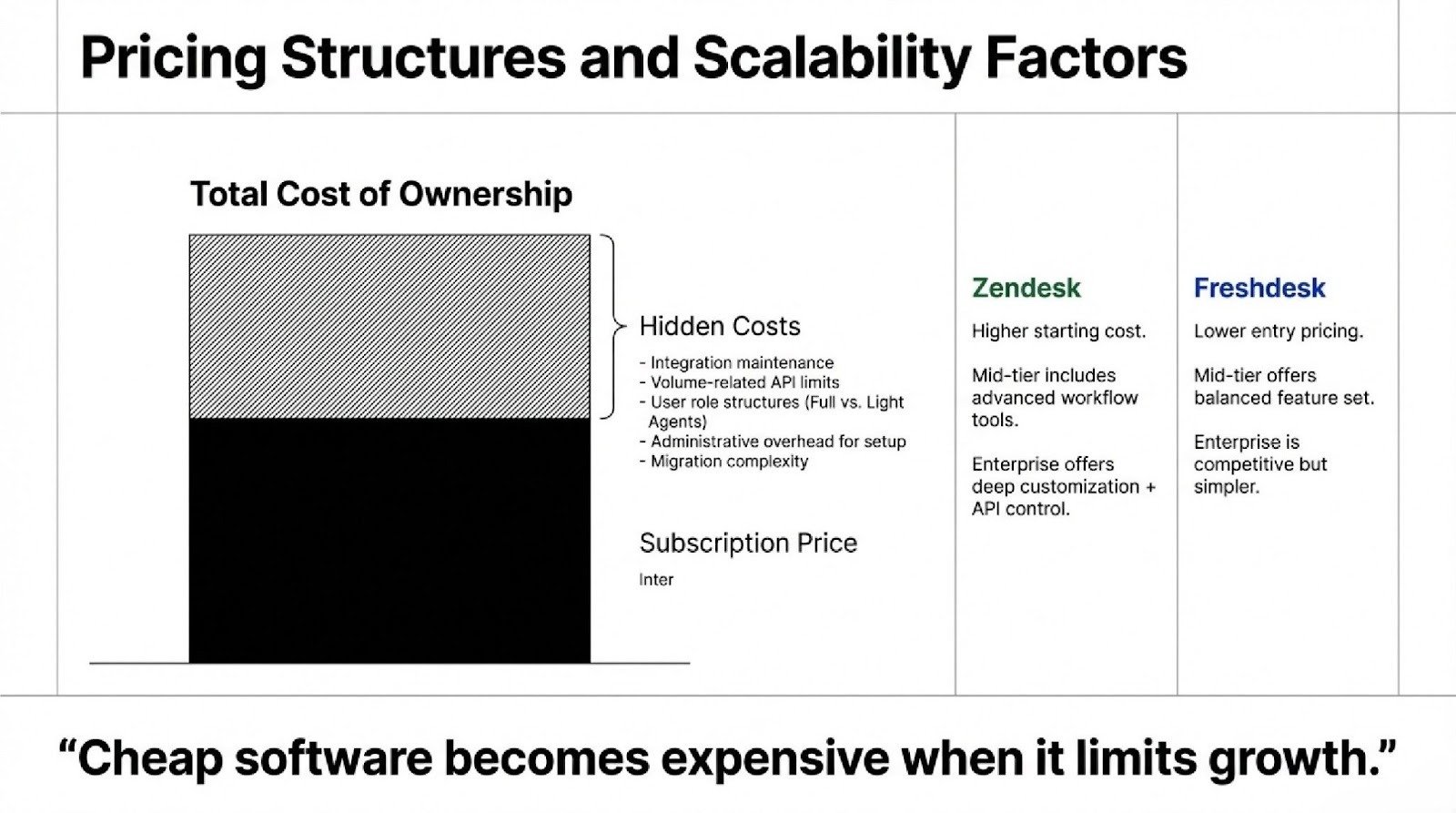
Freshdesk vs Zendesk pricing comparison
Plan Level
Zendesk
Freshdesk
Entry
Higher starting cost
Lower entry pricing
Mid-tier
Advanced workflow tools
Balanced feature set
Enterprise
Deep customization + API control
Competitive but simpler structure
Also factor in:
Integration costs
Volume-related API limits
User role structures (including Light Agents)
Administrative overhead
Migration complexity
Cheap software becomes expensive when it limits growth.
What customers are saying about using Zendesk vs. Freshdesk
Zendesk users usually say:
Powerful and flexible
Excellent for scaling
Deep customization
But they also mention:
Steeper learning curve
More complex setup
Freshdesk users often say:
Easy to deploy
User-friendly
Good value for money
But common complaints include:
Limited workflow depth
Reporting restrictions at lower tiers
Teams that migrate platforms consistently emphasize validating data integrity, planning the cut-over date carefully, and running delta migration to avoid data loss.
5 reasons why Zendesk wins over Freshdesk
Advanced Workflow Architecture Zendesk supports layered automation that can scale with enterprise complexity.
Stronger Data Governance Proper migration preserves ticket history, validates field mapping accuracy, and maintains structured schema mapping.
Granular Role Management You can assign Light Agents, restrict permissions, deactivate accounts, and later re-enable them without breaking workflows.
Better Internal Collaboration Native side conversations improve coordination without exposing internal notes.
Scalable Integration Framework Full OAuth support and strong API flexibility make large-scale integrations more sustainable—even when dealing with high-volume systems.
If you want simplicity and fast setup, Freshdesk is practical.
If you want structure, long-term scalability, migration control, and workflow precision, Zendesk is stronger.
The right choice isn’t emotional. It depends entirely on how complex your support operation actually is—and how complex it will become.
“1xbet Login Finland Standard Site Online Gambling Site ᐉ Sports Activities Odds & Lines Content Bet Sign Up — Don’t Have An Account Yet? Bet Online — Reside Betting Features Bet App — Deposits & Withdrawals Intended For Finnish Players Place Bets Around The 1xbet Mobile App Bet Login Mobile — How To Register On […]
Bezpieczne Zakłady: Blik Kasyno i Twoja Wygrana W Kilka Sekund W ostatnich dniach w Polsce miało miejsce ogromne wydarzenie związane z bezpiecznymi zakładami sportowymi oraz nowoczesnymi metodami płatności. Platforma Blik Kasyno ogłosiła, że wprowadza przełomową technologię, która umożliwia graczom błyskawiczne wygrane w czasie rzeczywistym. To innowacyjne podejście do zakładów online nie tylko zwiększa wygodę użytkowników, […]