
Zendesk vs Help Scout: How to Choose (2026 Comparison)
Zendesk vs Help Scout compared by approach, strengths, and ideal use case. A clear framework to choose the right support platform.
Read More

Integrating Freshdesk and Zendesk requires structured synchronization of tickets, users, workflows, and permissions so that both systems exchange data without compromising data integrity, exceeding API limits, or disrupting operations during a defined cut-over date.
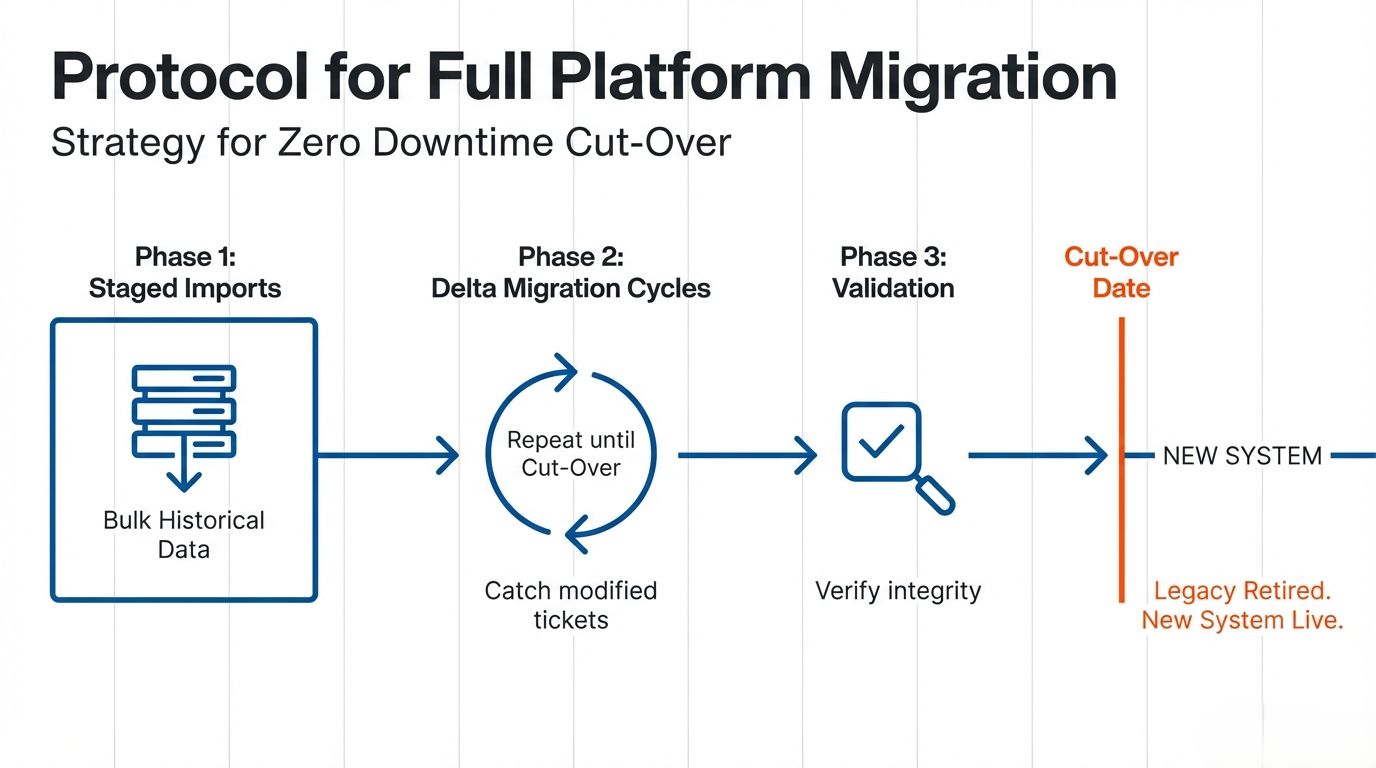
Freshdesk Zendesk Integration is a bidirectional or unidirectional system connection that synchronizes support data—such as ticket history, users, custom fields, and internal comments—between Freshdesk and Zendesk through APIs, middleware, or an automated migration service while preserving schema relationships and operational continuity.
Zendesk Integration performs synchronization on support records.
Freshdesk Integration transfers structured ticket objects between systems.
The integration layer validates field mapping accuracy before writing data into the target environment.
This integration can serve operational collaboration, temporary coexistence, or full platform migration from a legacy system.
Integration scenarios typically fall into three categories:
Each scenario requires validation of schema mapping, user permissions, and workflow automation compatibility.
Freshdesk and Zendesk do not structure ticket objects identically. Custom fields, tags, statuses, and user roles often differ.
Zendesk stores event-level ticket history in detailed audit logs.
Freshdesk structures ticket threads with conversation-centric grouping.
To integrate both systems correctly:
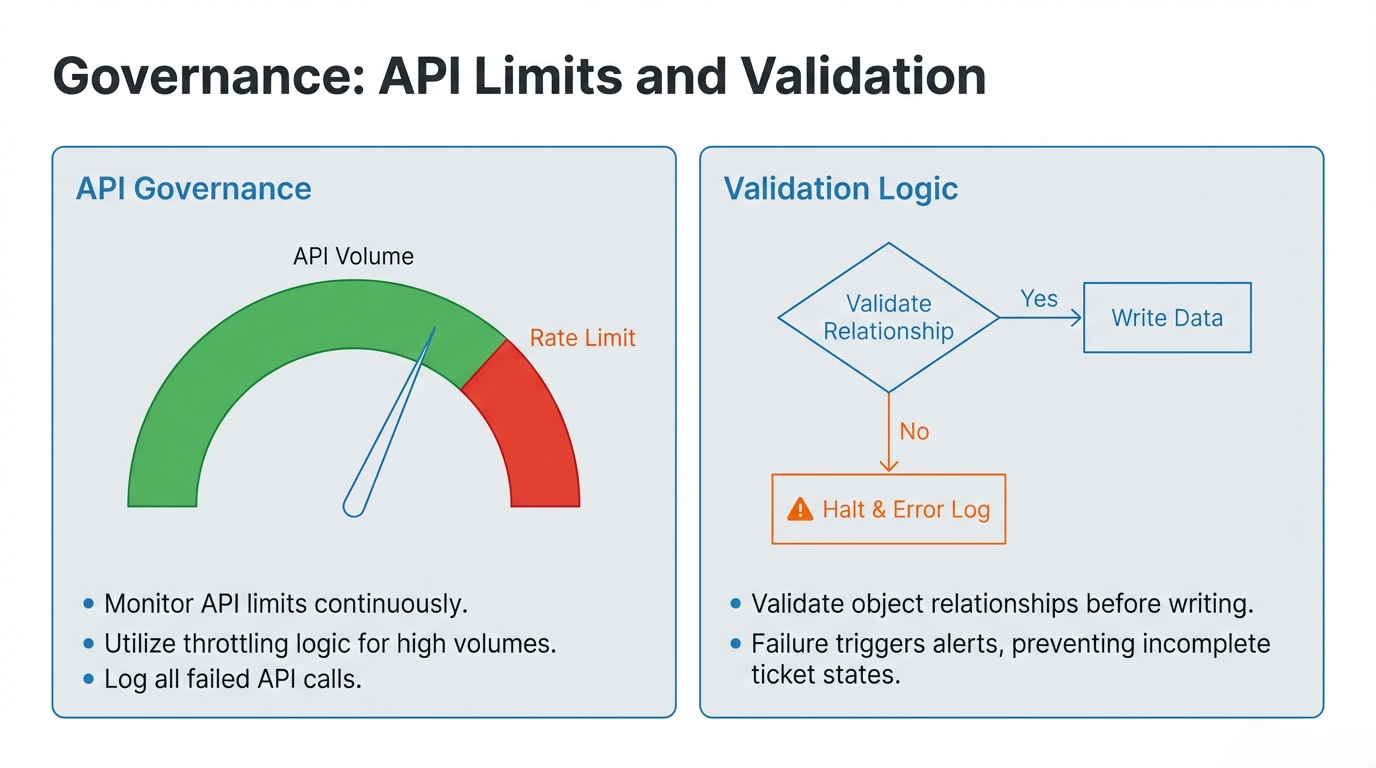
The integration engine validates object relationships before writing records.
The migration tool performs delta migration on modified tickets before finalization.
Improper mapping causes broken threads, missing comments, or corrupted associations. Validation prevents this.
A structured integration provides measurable operational advantages:
Integration middleware ensures secure communication via OAuth.
The system can temporarily deactivate conflicting automations during sync and later re-enable them after validation.
When properly executed, integration enables a seamless transition without interrupting customer support.
Before selecting an approach, evaluate:
The integration engine must monitor and respect API limits. High-volume environments require throttling logic and retry mechanisms.
The solution must preserve:
If performing full migration:
Existing macros, triggers, and SLA rules may conflict.
The system should temporarily deactivate automations during sync and re-enable them once consistency is verified.
The integration must validate:
Failure in validation results in incomplete or inconsistent ticket states.
An MSP operates Zendesk while the client uses Freshdesk.
The integration system synchronizes ticket history between both environments.
The middleware maps ticket updates and validates user permissions.
This setup maintains transparency while preserving each organization’s internal workflow.
A company acquires another organization using a different helpdesk.
The migration engine transfers historical records from the acquired legacy system.
The system executes repeated delta migration cycles until the official cut-over date.
The integration layer ensures zero downtime during the transition.
This prevents data fragmentation during mergers.
Different brands operate separate platforms.
The integration service consolidates incident reporting into a central dashboard.
The system synchronizes selective ticket categories while maintaining independent branding.
Level 1 support operates in Freshdesk.
Level 2 escalation runs in Zendesk.
The integration automatically transfers escalated tickets.
The system maps escalations and preserves related side conversations.
Multiple tools generate incidents.
The integration consolidates alerts into a single environment.
Zendesk performs structured reporting on synchronized records.
This reduces duplication and fragmented communication.
Support teams manage tickets in Freshdesk.
Development teams operate through Zendesk integrations or engineering tools.
The integration system maps ticket updates and maintains shared visibility without compromising permissions such as Light Agents.
Integration enables automation across:
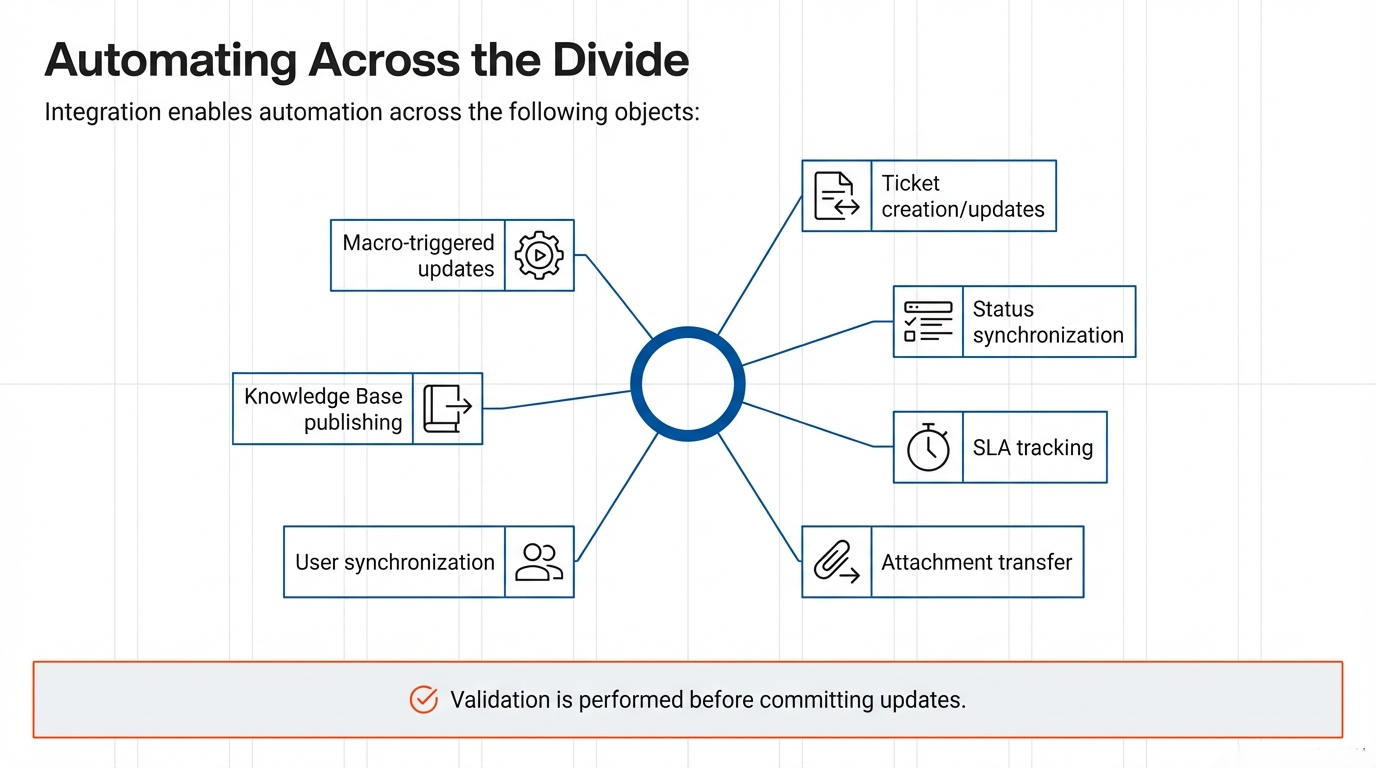
The automation engine performs validation before committing updates.
The system logs all synchronization events to preserve data integrity.
The integration gateway authenticates systems before data exchange.
The API layer transfers ticket objects between platforms.
A properly structured workflow prevents duplication loops and maintains operational consistency.
Data mapping determines integration success.
The migration engine validates relationships before final synchronization.
The integration service confirms completeness to ensure zero downtime.
Freshdesk and Zendesk integration is not just a technical connection. It is a structured data operation that requires validation, automation control, and disciplined execution. When schema alignment, permission mapping, and API governance are handled correctly, the result is a stable and scalable support infrastructure.
Extending Zendesk with apps and integrations? See our service and related guides:
Zendesk vs Help Scout compared by approach, strengths, and ideal use case. A clear framework to choose the right support platform.
Read More
Moving from Kustomer to Zendesk? Learn what data migrates, how to handle custom objects, the process, and how to avoid downtime.
Read More